Precision Sound Meter
& Frequency Generator
Real-time acoustic sound pressure level monitoring (dBA), multi-frequency sine tone synthesis (20Hz–20kHz), and 165Hz speaker pulse cleaner — 100% on-device and private.
Works on iPhone, iPad, and Android devices. No account registration required.
Built for Precision & Reliability
Everything you need to measure ambient noise, calibrate equipment, and clear device speakers.
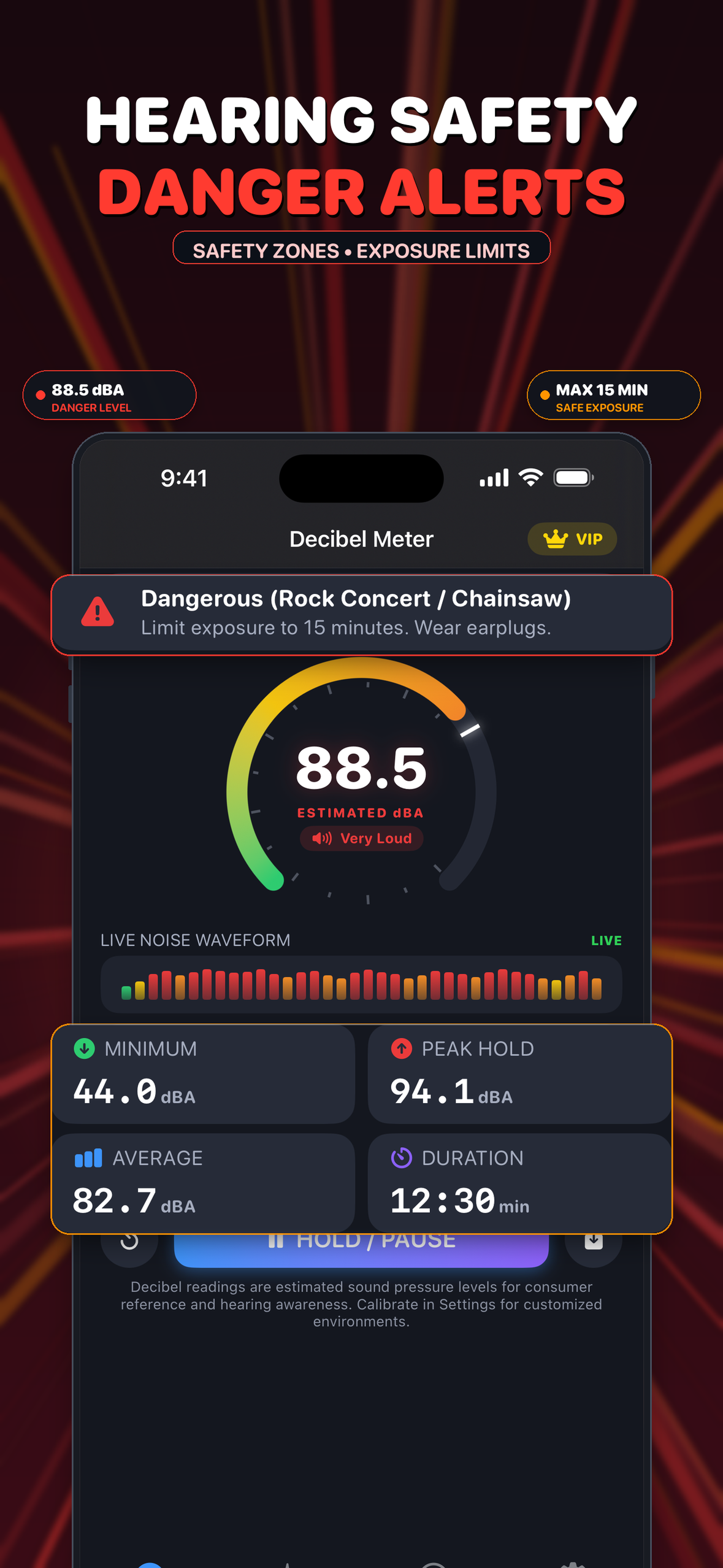
Accurate dBA Sound Meter
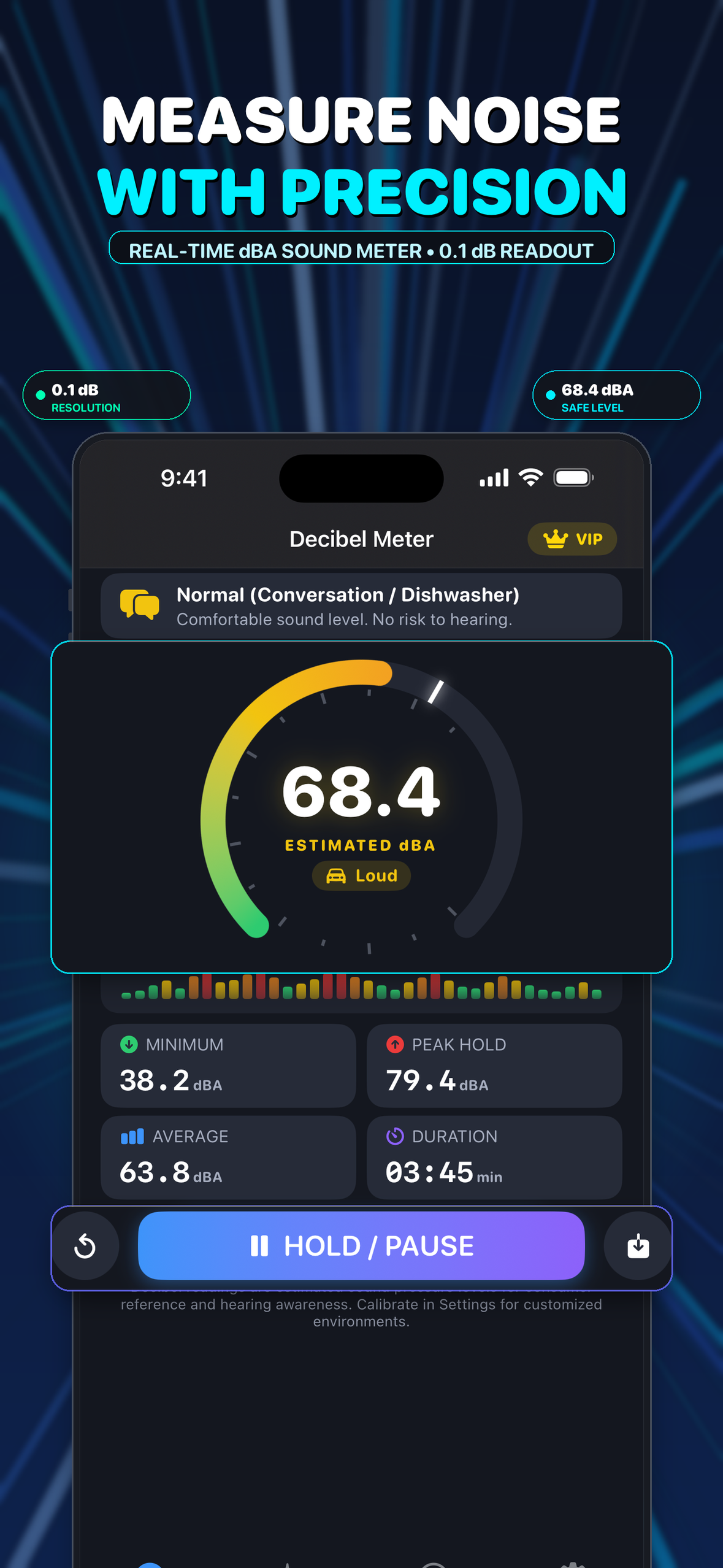
Real-time sound pressure level (SPL) with standard A-weighting. Instant Peak Hold, Average dB, Min/Max metrics, and color-coded environmental safety tiers.
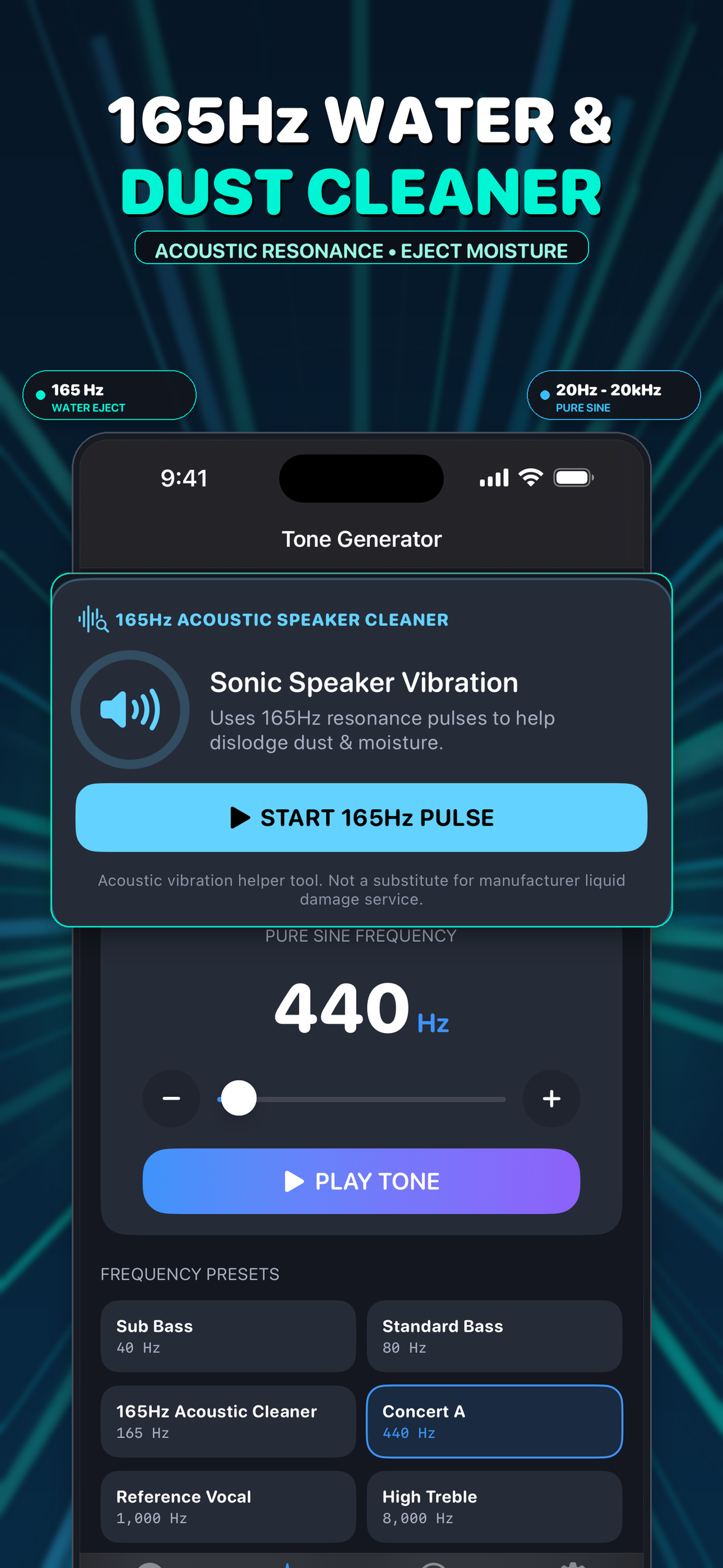
Sine Tone Generator
Continuous 20Hz to 20,000Hz frequency synthesizer for sound staging, audio tests, and instrument tuning, featuring quick presets from Sub-Bass to Mosquito tone.
165Hz Speaker Cleaner
Acoustic pulse waveform engineered to dislodge trapped water, moisture, and dust particles from your device speaker grills using resonant sound waves.
Wide Home Screen Widget
Glanceable Medium (4x2) widget on iOS and Android. Displays frozen paused session snapshots with one-tap instant resume, or your latest saved measurement summary.
100% Private & On-Device
Microphone audio is computed exclusively in real-time RAM to measure amplitude. Zero recordings stored, zero audio transmitted, and no user accounts required.
Wide Home Screen Widget
One unified, glanceable wide widget designed for real-world acoustic monitoring. No background microphone drain, truthful frozen session snapshots, and one-tap resume.
Streamlined to One Wide Widget
In our upcoming update, we have consolidated our home screen widgets to keep only the wide Medium (4x2) widget on both Apple iOS and Android. The small square launcher shortcut widget has been retired from the widget picker because it only opened the app without showing useful context. The wide widget combines frozen session recovery, latest saved metrics, and quick launching in one clean card.
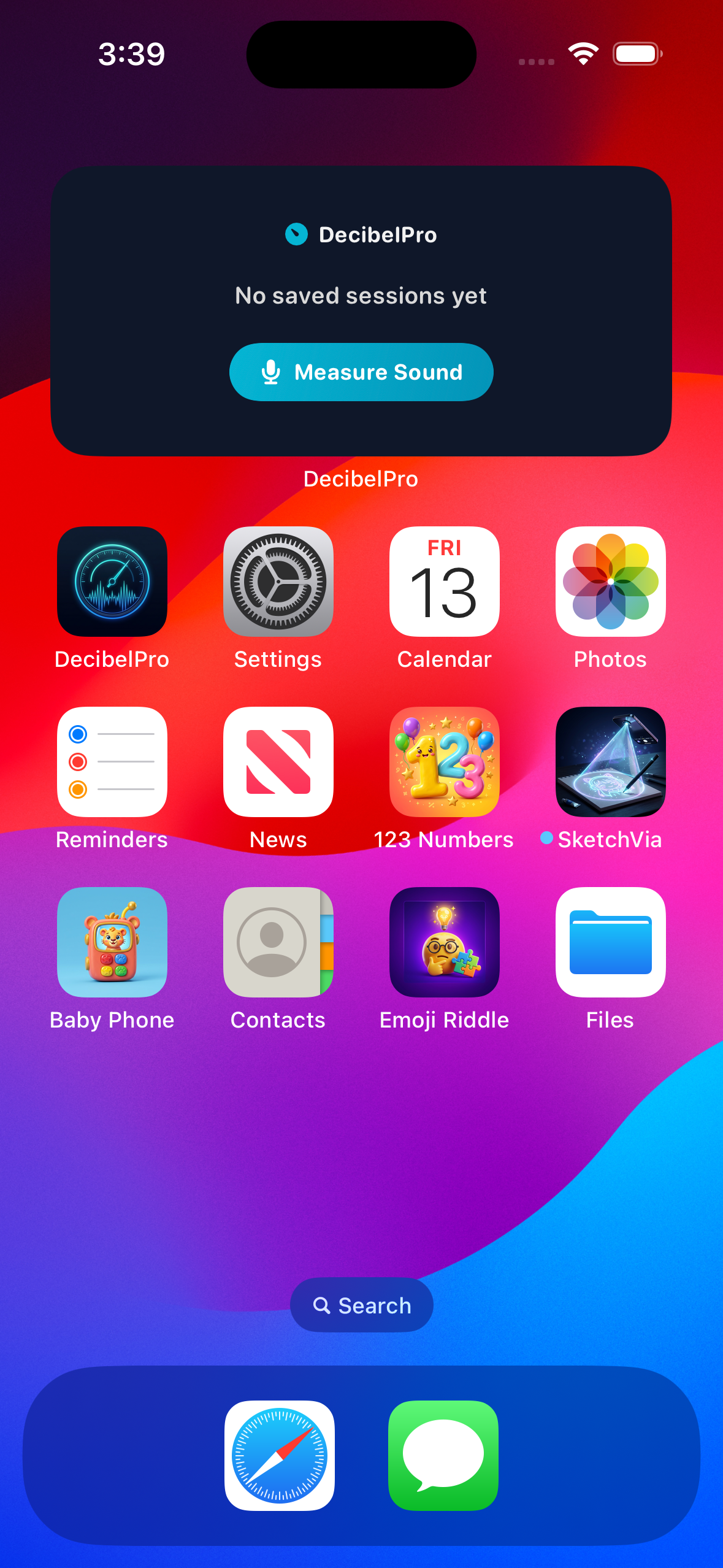
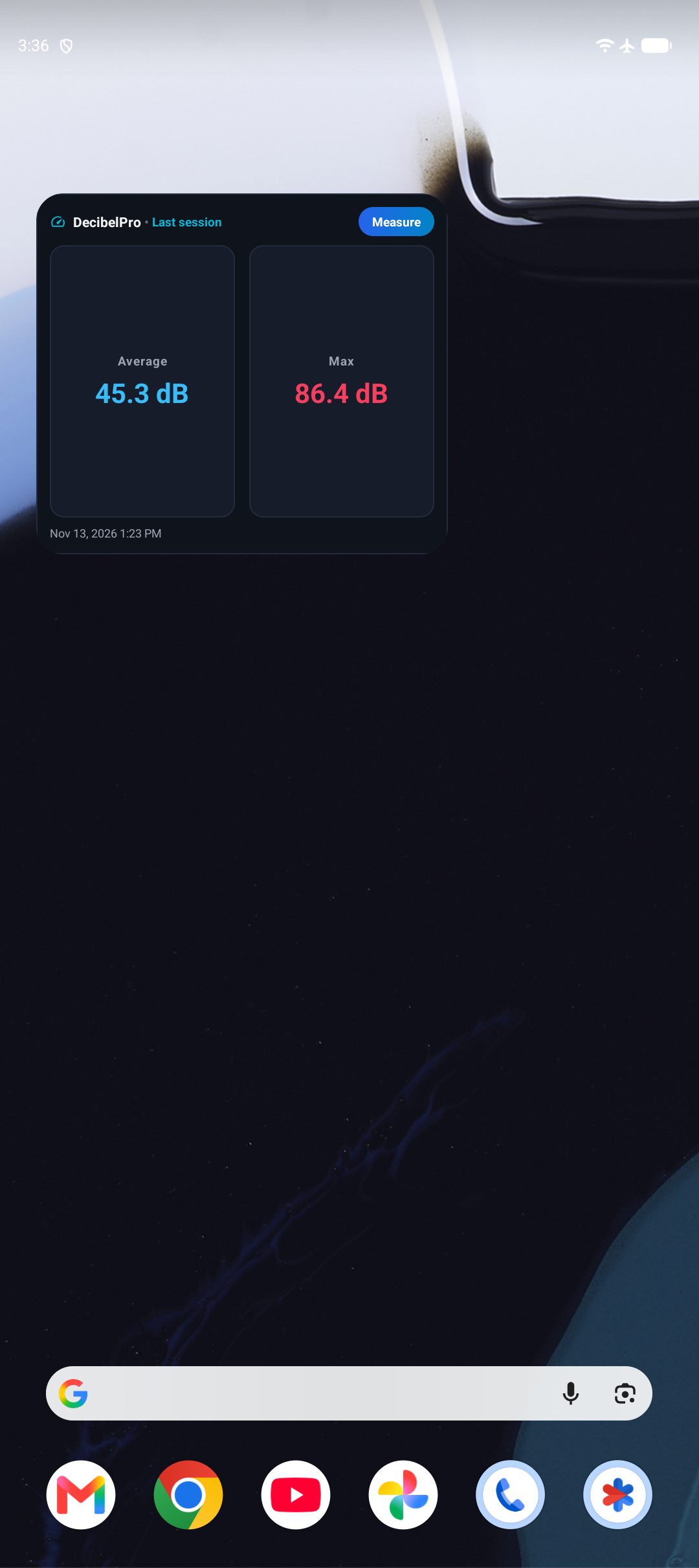
📲 How to Add the Wide Widget to Your Home Screen
🍎 Apple iOS (iPhone & iPad)
- Touch and hold any empty area on your Home Screen until the apps jiggle.
- Tap the + button in the top corner to open the Widget Gallery.
- Search for DecibelPro and tap it.
- Select the Wide Last Session (Medium 4x2) widget and tap Add Widget.
🤖 Android Phones & Tablets
- Touch and hold an empty space on your home screen, then tap Widgets.
- Scroll to DecibelPro and drag the 4x2 Last Session widget onto your home screen.
- Quick Shortcut: You can also open DecibelPro → Settings → Home Screen Widgets and tap Pin Last Session Widget to add it instantly on supported launchers.
💡 Widget Information & Frequently Asked Questions
- Does the widget record sound in the background? No, never. In strict adherence to user privacy and battery preservation standards, DecibelPro halts all microphone audio capture whenever the app is backgrounded or minimized. The widget displays only frozen snapshots of your paused session or your latest saved record. No audio is ever captured, analyzed, or recorded in the background.
- Why is there only one wide widget format? We streamlined our widget catalog to remove the small 1x1 launcher shortcut. The 4x2 wide widget delivers full actionable context in one place: paused session snapshots, frozen averages and peaks, pause timestamps, one-tap resume, and your latest saved measurement summary.
- What does the "Open session" action do? When you leave DecibelPro while measuring sound, your active session is safely paused. Tapping Open session on the widget brings you straight back to the meter screen, allowing you to review your ambient noise reading and resume or save the measurement seamlessly.
- What happens if the app process is terminated while paused? If the operating system reclaims memory or closes the app process during a pause, DecibelPro maintains truthful integrity: the paused snapshot automatically expires after 15 minutes, transitioning gracefully back to your latest saved measurement. The widget never displays misleading phantom timers or claims a dead session is running.
- Empty or Cleared History: If the widget displays "No saved sessions yet," simply open the app, tap Start Meter, and save a measurement. If you delete a session or tap Clear All History in Settings, the widget automatically updates to reflect the clean state.
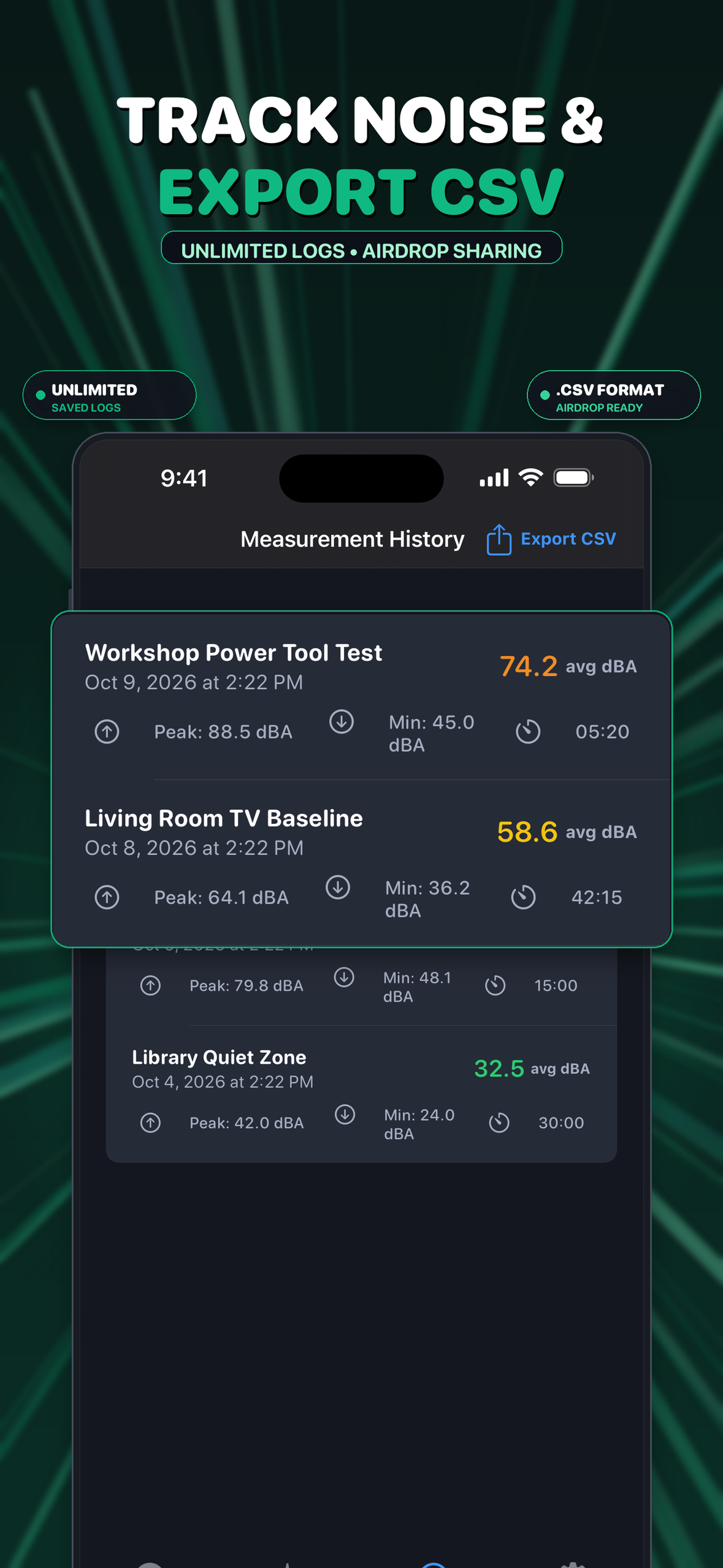
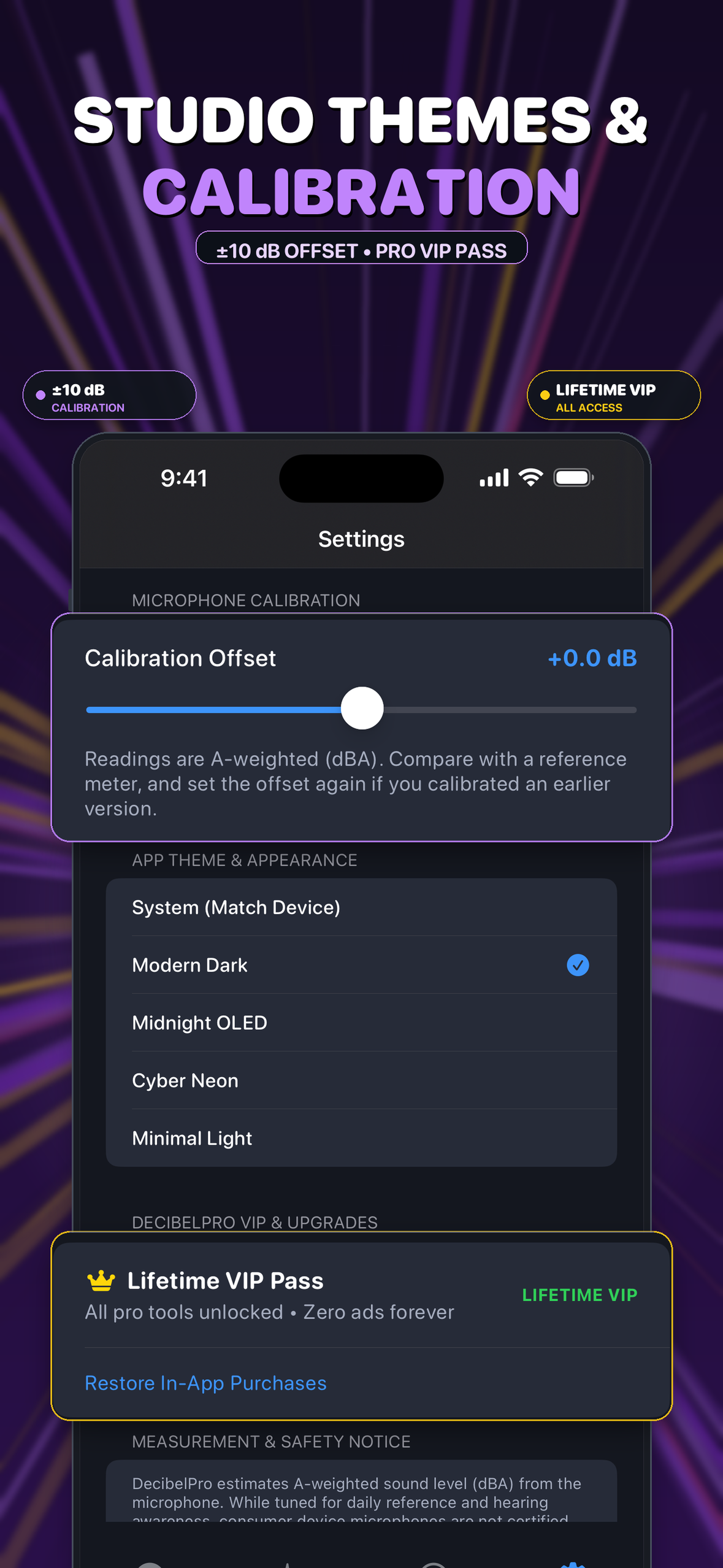
Clean, Focused Interface
Designed with high-visibility gauges, zero-scroll dashboards, and customizable color themes.
Privacy Policy
Effective Date: October 2026
Your privacy is fundamental to our product. DecibelPro is designed to be completely safe, transparent, and respectful of your data:
- Microphone Audio: DecibelPro processes microphone sound levels strictly in real-time on your device to compute amplitude and decibel measurements. We do not record, save, store, or transmit your audio anywhere.
- Personal Information: DecibelPro does not require user registration, login accounts, emails, phone numbers, or identity collection.
- Advertisements: We use Google AdMob to serve non-intrusive sponsor ads for the free tier. AdMob may process device advertising identifiers (such as IDFA under Apple's AppTrackingTransparency on iOS and Google Advertising ID on Android) in full compliance with store privacy guidelines.
- Family-Safe Advertising Standards: In accordance with Apple App Store Review Guidelines and Google Play Developer Policies, we strictly enforce category-blocking controls within Google AdMob to maintain a clean, respectful, and family-appropriate experience. We actively prohibit and filter out advertisements featuring sexually suggestive material, nudity, adult themes, dating services, and gambling. Should any ad inadvertently bypass these filters, users can report it via our support contact for immediate review and advertiser exclusion.
- Local Storage: Your measurement history, calibration offsets, and theme preferences are stored exclusively on your device using local storage.
- Home Screen Widgets & Local Data Sharing: DecibelPro provides optional home screen widgets on iOS and Android. To display your latest saved measurement summary on the "Last Session" widget, the app securely shares a minimal data payload locally between the app and the widget extension via platform-native shared storage (Apple App Group sandbox on iOS; private application SharedPreferences on Android):
- Shared Fields: Only non-sensitive summary metadata is shared locally: (1) internal session ID string (
id), (2) computed average sound level (averageDb), (3) peak/maximum sound level (peakDb), and (4) session start timestamp (epochMillis). - No Audio or Server Uploads: Widget data sharing is strictly on-device. Widgets do not continuously access the microphone, do not record or stream audio in the background, and do not upload session summaries or device data to any remote server or third party.
- Session Deletion & Clear History: When you delete a measurement session or use "Clear All History" in Settings, the shared widget cache is immediately updated or cleared from device storage, resetting the widget to "No saved sessions yet."
- Shared Fields: Only non-sensitive summary metadata is shared locally: (1) internal session ID string (
Terms of Service
View Standalone Terms Page →Effective Date: October 2026 • Last Updated: November 2026
Welcome to DecibelPro: Sound dB Meter ("DecibelPro", "the Application"), published by Hafiz Saad Digital for Apple iOS (App Store ID: 6820814636) and Android (Google Play: com.saadapps.decibelpro). By downloading or using DecibelPro, you agree to these Terms of Service.
1. License Grant & Permitted Use
We grant you a revocable, non-exclusive, non-transferable, limited personal license to install and use DecibelPro on compatible mobile devices you own or control, solely for personal, educational, or informational purposes. Reverse-engineering, decompilation, unauthorized modification, or redistribution is strictly prohibited.
2. Free Features, In-App Advertising & Rewarded Access
DecibelPro offers real-time sound pressure level estimation (dBA), digital audio waveforms, min/max/average metrics, microphone calibration, and variable sine wave tone generation free of charge. Free access is supported by Google Mobile Ads (AdMob) SDK banner, interstitial, and app-open ads, restricted to family-safe standards (Rating G). Users may voluntarily watch rewarded video ads to unlock temporary access passes (such as a 24-Hour VIP Pass or individual feature unlocks like CSV export or custom themes). Rewarded passes are stored locally on your device and are non-transferable.
3. In-App Purchases (Lifetime VIP Pass) & Restoration
An optional Lifetime VIP Pass (com.saadapps.decibelpro.lifetime) is available as a non-consumable in-app purchase to permanently remove all advertisements and unlock all pro features (pro presets, custom visual themes, 165Hz speaker cleaner, unlimited CSV exports). Purchases can be restored on the same platform at any time via "Restore In-App Purchases" in Settings. Platform Scope: In-app purchases are managed exclusively through Apple StoreKit (iOS) or Google Play Billing (Android); because these stores operate distinct ecosystems, purchases cannot be transferred across different operating system platforms.
4. Billing, Store Rules & Refund Policy
All payments, billing transactions, and applicable taxes are handled exclusively by Apple Media Services (App Store) or Google Play. The Developer does not collect, receive, or store credit card details or payment credentials. Refund requests are subject to platform policies and must be initiated directly with the store: for iOS via reportaproblem.apple.com; for Android via Google Play purchase history or support.
5. Microphone Audio Handling, Local Storage & Home Screen Widgets
Microphone access is used strictly to estimate ambient sound pressure levels in real time. Acoustic data is processed transiently in volatile device memory (RAM) to compute amplitude and waveform metrics. DecibelPro never records, stores, encodes, or transmits raw audio off the device. Measurement session summaries (duration, average dB, peak dB) are stored locally in on-device storage. CSV export files are generated on-device and shared only via the user's explicit action through the system share sheet.
Home Screen Widgets: DecibelPro's optional widgets display a minimal local summary of your most recent saved session (session ID, average dB, peak dB, and timestamp) via operating system shared storage (iOS App Group sandbox and Android local SharedPreferences). Widgets do not record audio, monitor ambient sound in the background, or transmit measurement summaries off your device. Deleting a measurement session or clearing history automatically updates or purges the shared widget data.
6. Acoustic Measurement Limitations & Disclaimer
DecibelPro is an informational and educational utility. Software-based sound level estimation relies on consumer mobile device microphones and is affected by hardware variances, phone cases, microphone orientation, dust, and automatic gain controls. DecibelPro is NOT a certified Class 1, Class 2, Type 1, or Type 2 sound level meter under IEC 61672 or ANSI S1.4. Readings must not be relied upon for regulatory occupational safety compliance (OSHA/NIOSH standards), industrial noise hazard monitoring, municipal noise enforcement, or formal legal evidence.
7. Tone Generator Precautions & Speaker Cleaner Limitations
The tone generator synthesizes frequencies from 20 Hz to 20,000 Hz. High-volume or high-frequency sounds can cause hearing fatigue or damage; never play high-amplitude tones directly against ears. The 165Hz speaker cleaner feature produces acoustic vibrations designed to help dislodge surface moisture or light dust from speaker ports. DecibelPro does NOT guarantee water expulsion, dust removal, hardware repair, or waterproof protection.
8. Intellectual Property, Changes & Support
All intellectual property rights, trademarks, UI designs, algorithms, and code belong to Hafiz Saad Digital. We reserve the right to modify these Terms; updates will be posted to this page. For questions or support, contact developer support: rajasaad707+decibelpro@gmail.com.
Support, Feedback & Ad Reporting
Have questions, need assistance with microphone calibration, or want to report a technical issue or inappropriate advertisement? Our developer team is here to assist.
Direct Developer Support Desk
Tap below to email our engineering team directly:
Inappropriate Ad Reporting: When reporting an ad served by Google AdMob, please provide a screenshot or advertiser name so we can immediately investigate and blacklist the creative from our ad network inventory.