 Focus • Meditate • Flow
Zen Focus
An intentional, distraction-free productivity chronometer crafted for ADHD focus, study marathons, deep programming sessions, and mindful deep work. Features an analog rotary tactile dial paired with a 6-channel offline ambient soundscape generator.
Now on iOS! Android version coming soon • Request Android beta →
Engineered for Excellence
Key highlights that make Zen Focus special, focused, and intuitive.
Tactile Rotary Dial
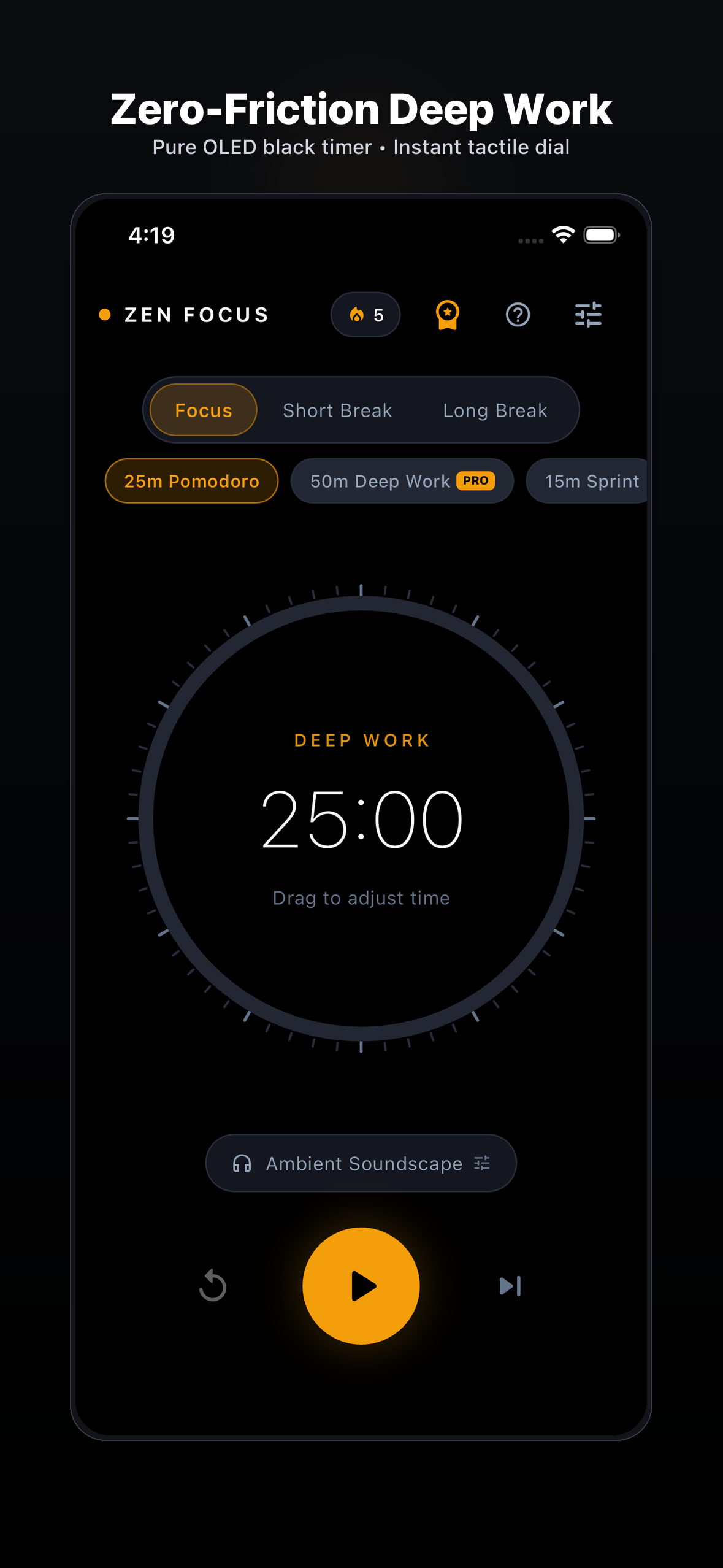
Smooth, fluid, physics-driven analog rotary chronometer. Dial in focus intervals instantly with satisfying micro-haptics.
6-Channel Offline Soundscapes
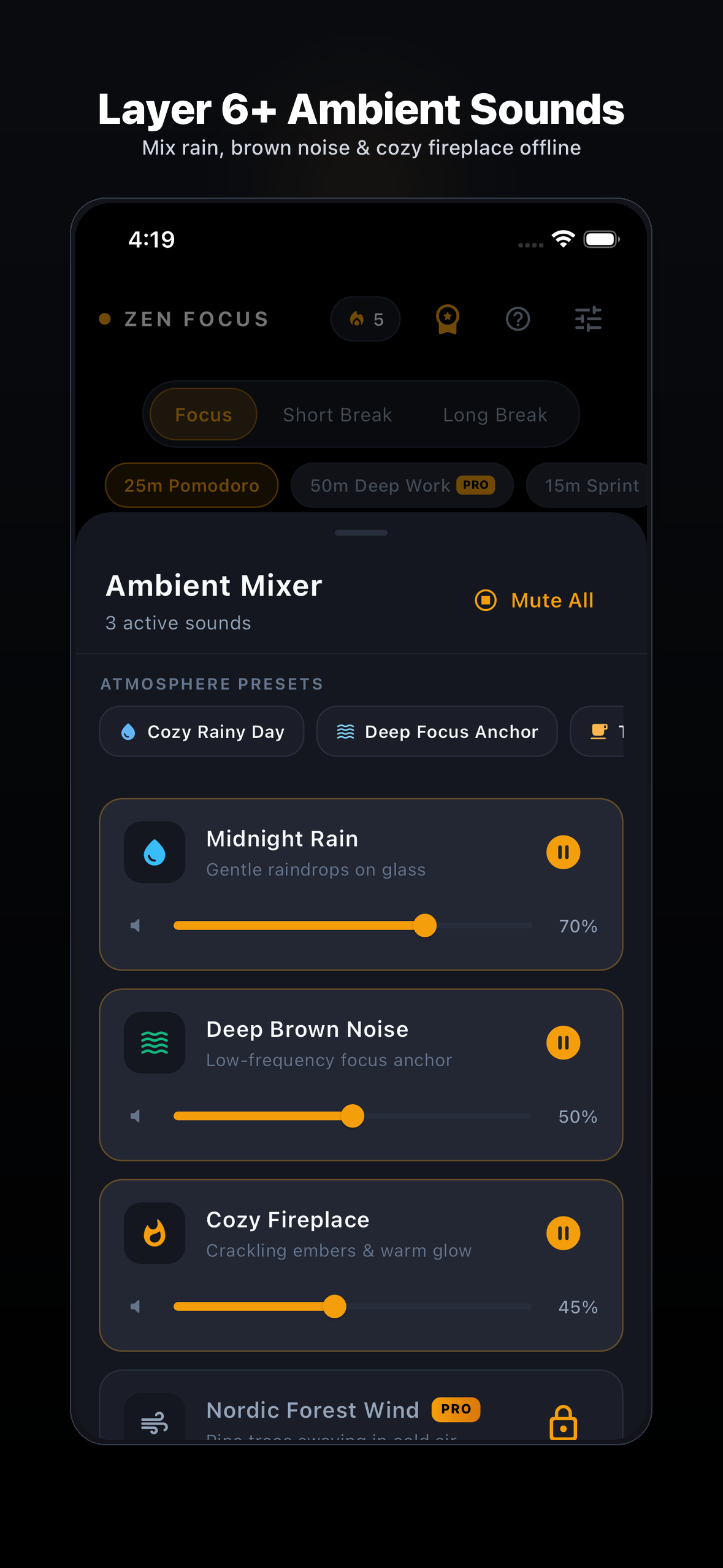
Mix rain, brown noise, cozy fireplace, forest wind, cafe chatter, and ocean waves. 100% bundled locally on your device.
OLED Pure Black Aesthetic
Genuine #000000 high-contrast interface engineered to eliminate eye fatigue and save battery life during marathon sessions.
Zero-Friction Flow
Zero accounts, no email logins, no intrusive popups. Open the app and plunge into deep work in under 3 seconds.
Private Focus Analytics
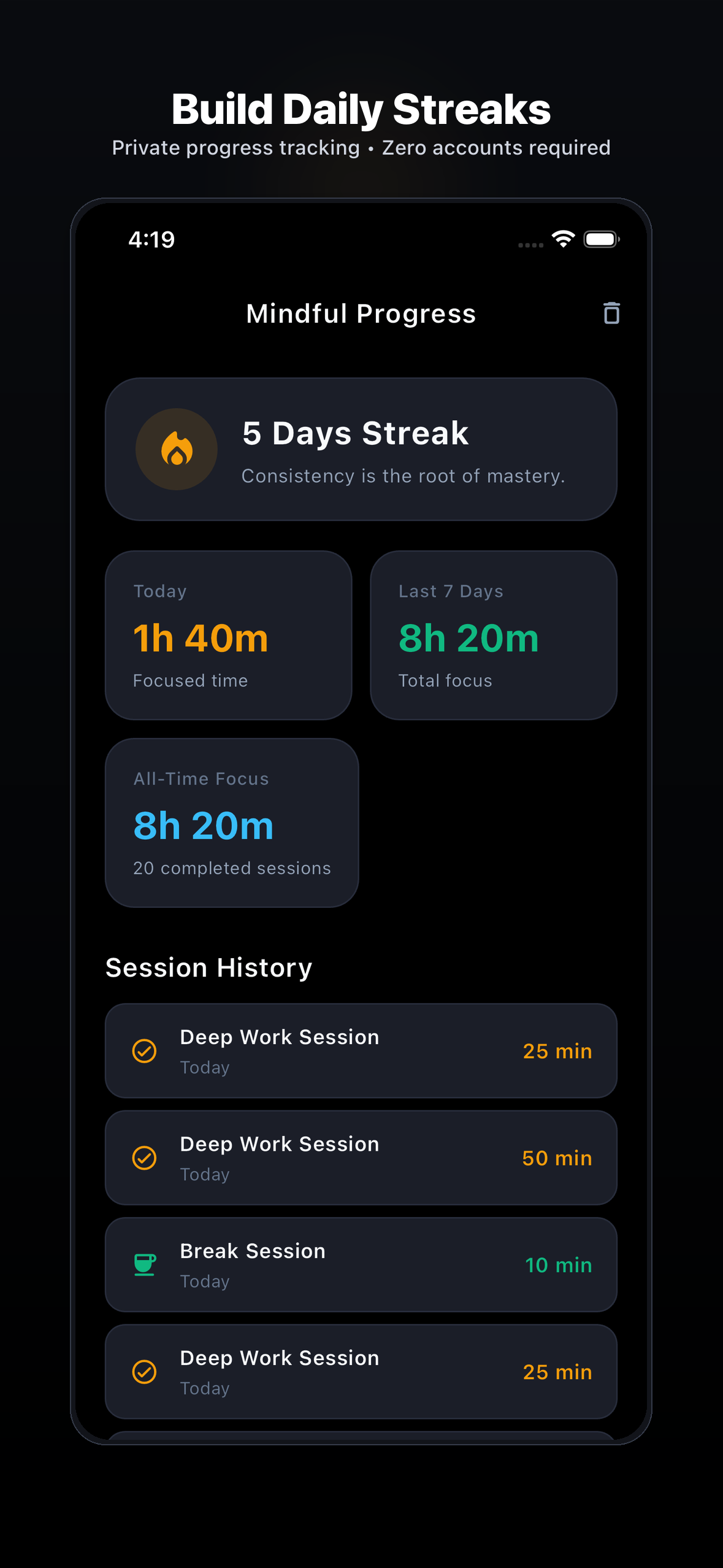
Track streaks, total focus minutes, and daily productivity heatmaps. All analytics are stored strictly on-device.
Anti-Subscription Promise
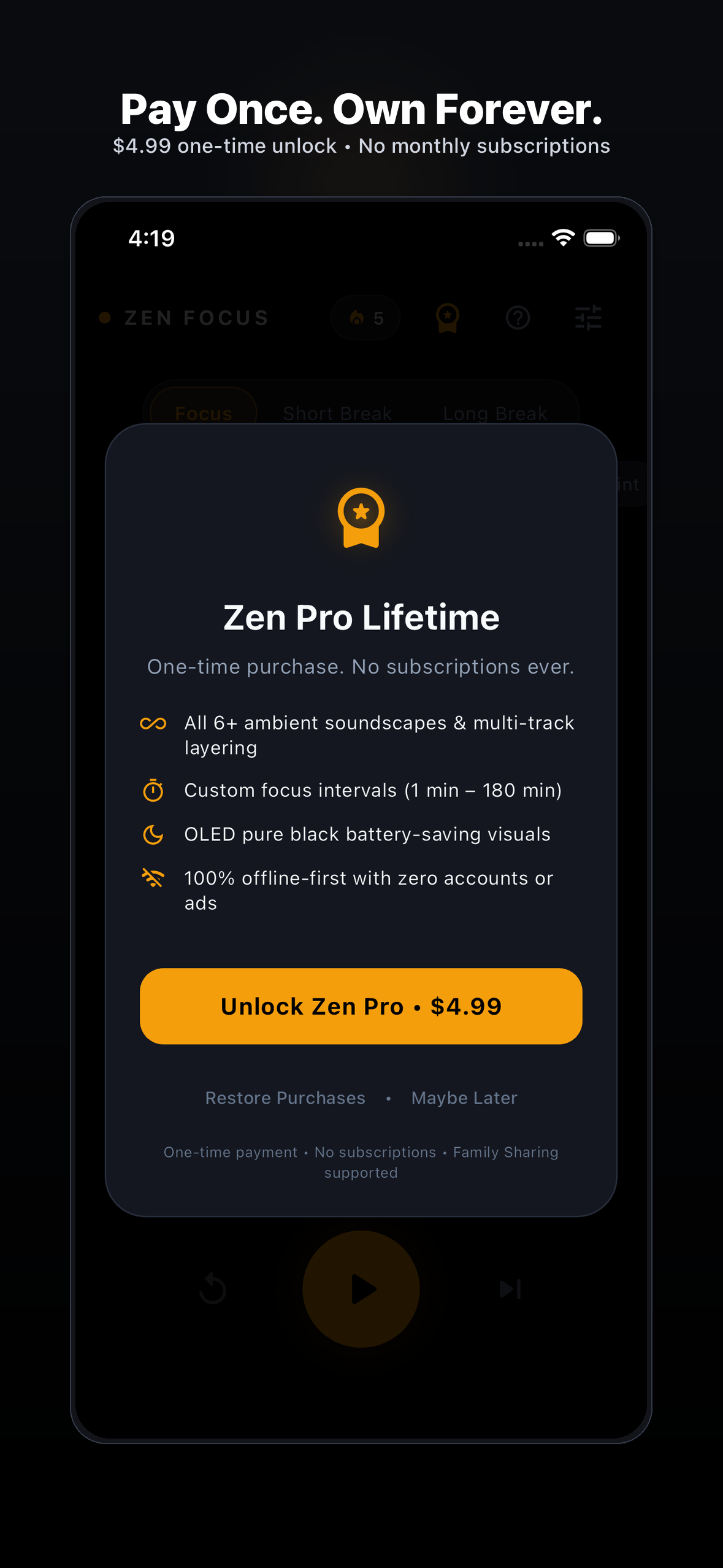
No monthly or yearly recurring traps. Honest, transparent, one-time lifetime access with zero telemetry.
Home Screen & Lock Screen Widgets
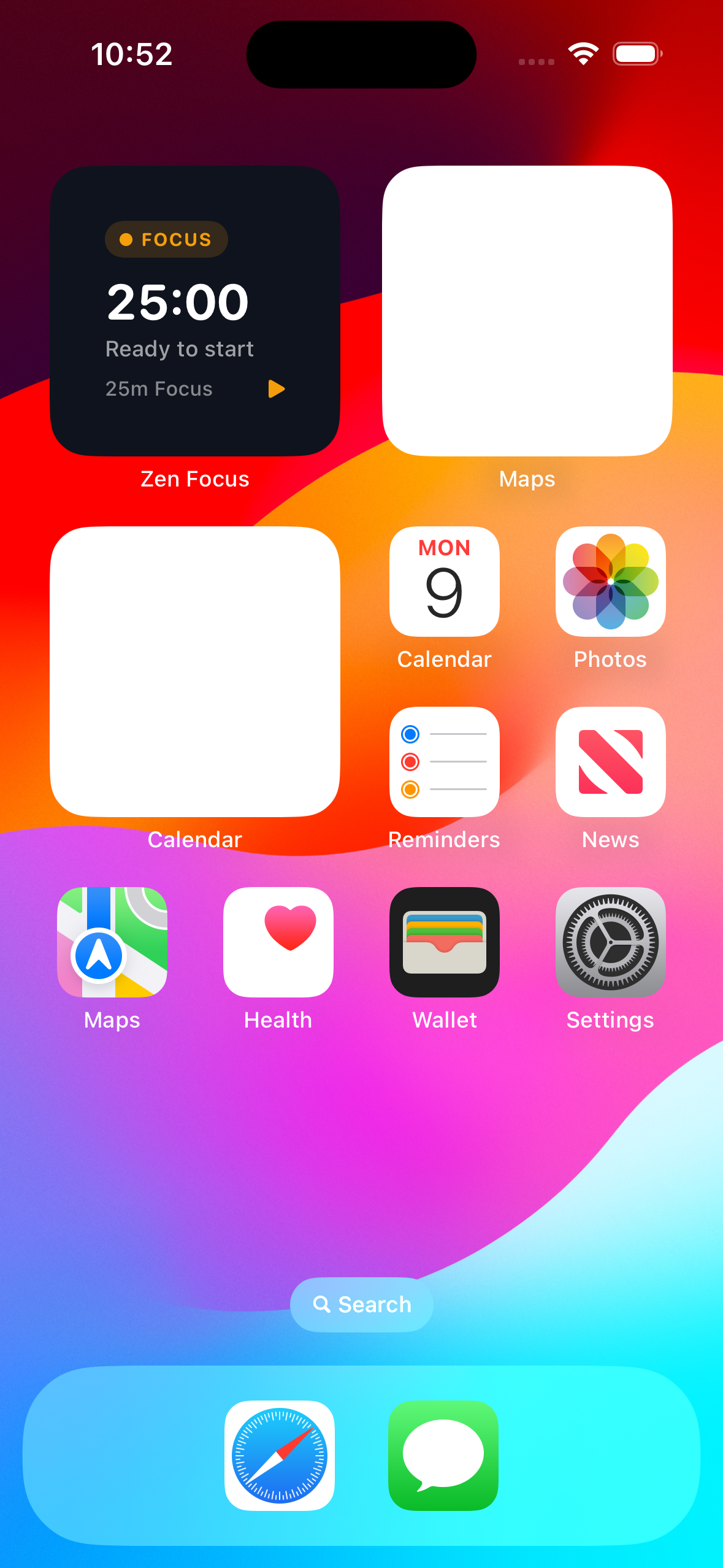
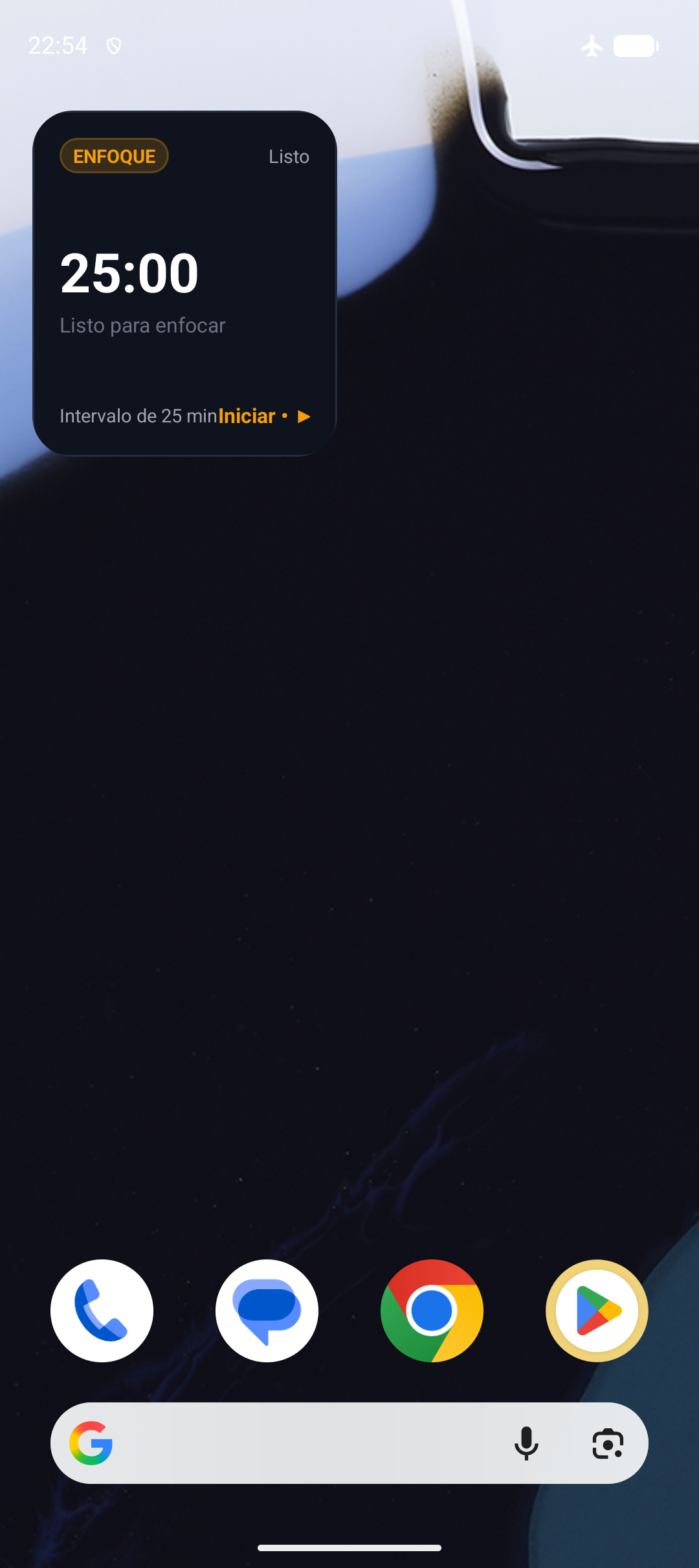
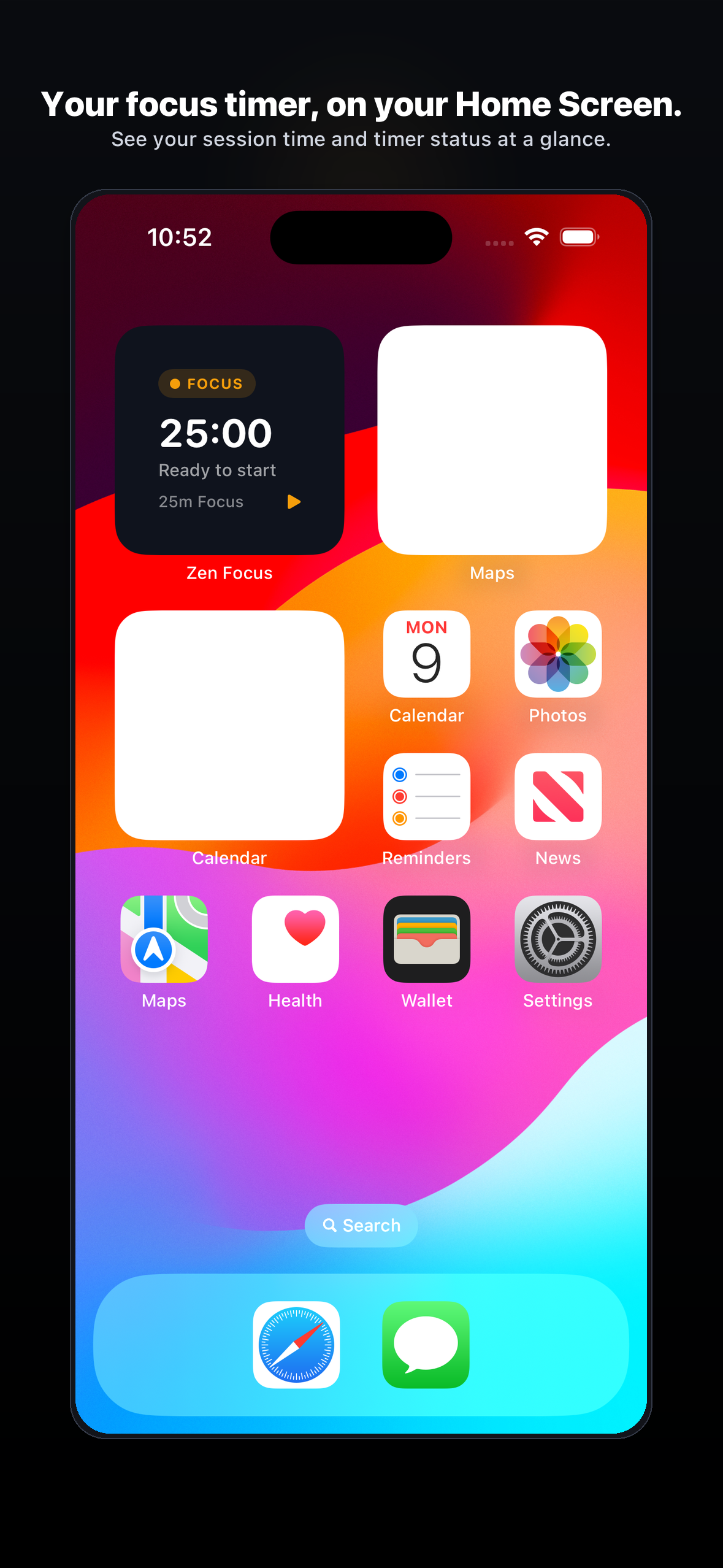
Keep your deep work in sight. Glance at your session countdown, active mode, and daily progress right from your Home Screen or Lock Screen without opening the app.
Visual Showcase
Swipe through high-resolution captures of Zen Focus in action.
💬 Dedicated Support
Have an inquiry, feedback, or a feature request? Our development team personally reviews every message.
🔒 Privacy Policy GDPR • COPPA • CalOPPA
Last Updated: October 2026
Your privacy is paramount. Zen Focus is built strictly around local-first privacy principles. We believe your personal tools should never monitor, track, or commercialize your identity.
1. Information Collection & Use
Zen Focus does NOT collect, store, or transmit personally identifiable information (PII). All user-created timers, presets, soundscape mixes, and focus streaks remain 100% on-device.
2. On-Device Storage & Home/Lock Screen Widgets
All core settings, user progress, customized preferences, and app states are stored strictly within sandboxed storage on your local device. Our Home Screen and Lock Screen widgets read active session status, remaining seconds, and daily stats strictly via local shared storage (iOS App Groups group.com.saadapps.zenfocus and Android Local Preferences). Widget data is never transmitted across the network.
3. Third-Party Services, Analytics & Optional Rewarded Ads
Zen Focus integrates minimal third-party SDKs strictly to support core functionality:
- Google Mobile Ads (AdMob): Optional rewarded ads can be viewed voluntarily to unlock a 24-hour Zen Pro pass. AdMob uses non-identifying technical identifiers (such as Device IDs) and SKAdNetwork for ad delivery, fraud prevention, and frequency capping without cross-app tracking. User consent in eligible regions (EEA/UK/CH) is handled via Google User Messaging Platform (UMP), and users can adjust consent choices anytime in app Settings.
- Firebase Crashlytics & Analytics: Strictly non-identifying diagnostic logs used exclusively to detect crashes and ensure device stability.
4. Children’s Privacy (COPPA Compliance)
We are firmly committed to safeguarding the privacy of young users. Zen Focus does not knowingly collect personally identifiable information from children under 13. Any features tailored for younger audiences strictly respect international child protection regulations.
5. Data Deletion & User Rights
Because Zen Focus operates without user accounts, account deletion is not applicable. All locally stored session records, streaks, and preferences can be erased immediately at any time by selecting "Clear History" in Settings or by uninstalling the application. For requests regarding the deletion of diagnostic telemetry or advertising identifiers associated with your device under applicable privacy laws (GDPR/CCPA), you can contact our privacy officer directly at rajasaad707@gmail.com.
6. Contact Us
For any privacy or data protection inquiries, reach out to our privacy officer directly: Contact Privacy Officer →
📄 Terms of Service EULA
Last Updated: October 2026
By downloading, previewing, or using Zen Focus, you agree to these Terms of Service in conjunction with standard Apple Media Services and Google Play Terms.
1. License Grant
We grant you a personal, revocable, non-exclusive, non-transferable license to install and use Zen Focus on any authorized iOS or Android device you own or control.
2. Intellectual Property
All trademarks, user interface designs, visual layouts, soundscapes, source code, and assets associated with Zen Focus remain the exclusive property of the developer. You may not decompile, reverse-engineer, or redistribute the application without express written consent.
3. In-App Purchases (If Applicable)
Any digital unlocks (such as a Lifetime Pass) are billed through official Apple App Store or Google Play Console in-app billing engines. All transactions, refunds, and family sharing are governed by the respective platform terms.
4. Disclaimer of Warranties
Zen Focus is provided on an "as-is" and "as-available" basis. While we strive for uncompromising stability and precision, the developer disclaims all warranties to the maximum extent permitted by applicable law.
5. Governing Law & Support
For questions regarding these Terms or legal support, reach out directly: Contact Legal & Support →